
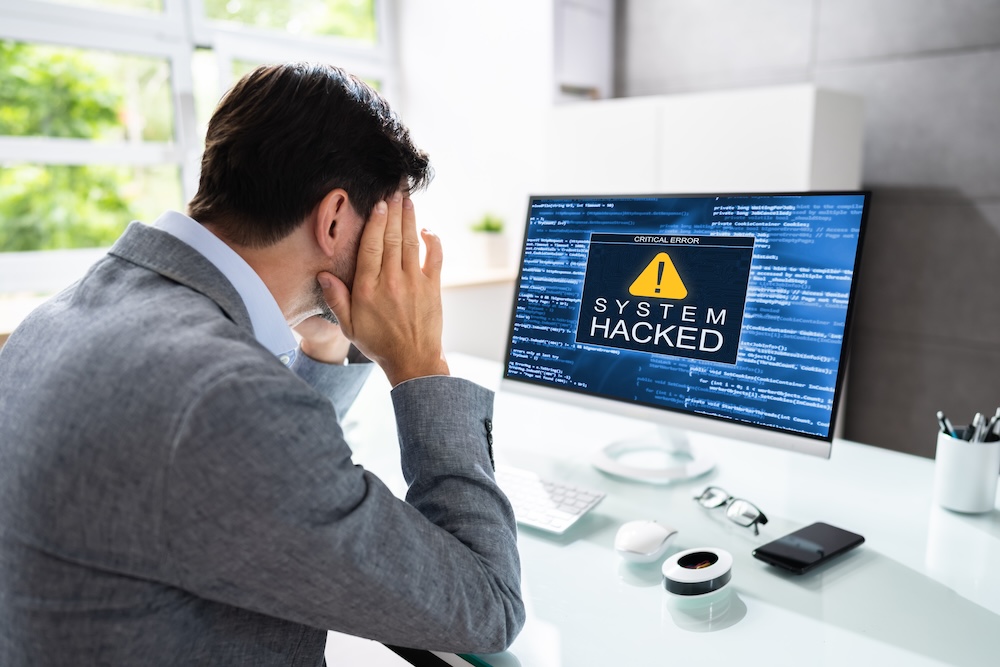
Canadians are facing more cyberattacks than ever. In the first half of 2025, one security firm reported more than 12 billion malicious attempts against Canadian citizens and businesses. Cybercriminals are benefitting from the crime-as-a-service model, where they can buy ready-made tools online. Your risk of being hacked has never been higher. We talk a lot about how not to get hacked, but what should you do if you think you have been?
You should act quickly but not panic. The faster you close the hole, the better. Watch for signs that you might have been hacked, such as websites warning of new logins or password reset attempts that did not come from you, unusual activity such as unexpected lag or slowdowns, or missing or inaccessible files.
Step 1: Confirm the Hack
The first step is to try to confirm whether you have been hacked. Is one of your accounts compromised? More than one? Do you think the hackers have access to your computer or device? There are several things to look out for.
Here are some of the strongest red flags:
- Unauthorized purchases. These could also mean your credit card was skimmed, but unauthorized purchases through a payment processor like PayPal or Stripe are a clear red flag. As a note, many “unauthorized purchase” emails are simply a different kind of scam always verify by logging into the actual site.
- Password reset emails when you did not request a password reset.
- New device emails that are not recognizable as yours.
- Signs that a device is using extra resources. On mobile devices, this often means a faster battery drain. On desktops and laptops, one sign is unexpected lag or your fan going off when you would not expect it. This may mean hackers are using your device to mine cryptocurrency or as part of a botnet.
- A higher-than-usual phone bill or unexpected usage.
- New apps are unexpectedly appearing, or existing apps are taking longer to load.
- Unrequested two-factor identification requests.
- Fake antivirus messages, although some of these are scareware.
- Frequent, random popups.
- Social media invitations or emails received by people you know that didn’t come from you. On the former, this can mean your account was “cloned,” which does not mean you were hacked.
- Passwords no longer work.
- Your credentials show up in a data breach or password dump. Some password managers will warn you about this so you can change the password before you get hacked (ideally).
Check for unauthorized access and check activity logs for unusual activity. Once you are sure there has been a hack or have reasonable suspicion, move to step 2.
Step 2: Disconnect and Lock Down
Disconnect the affected device from the internet. If you’re using Ethernet, often the fastest way is to unplug the cable. Disconnect any other devices connected to the affected device. This will stop further data transmission and protect connected devices.
Then log out of all accounts. Revoke access for any unrecognized devices or apps. Check your device for anything set to run at startup and disable it, unless you are positive it is legitimate.
Step 3: Change Your Passwords Immediately
Starting with your most important accounts, change all passwords immediately. Begin with your device password, then email, banking, and cloud storage. Use strong, unique passwords for each.
As a side note, always change any password that was in a breach or any password on a site that tells you they had a breach. E.g., if your doctor has a breach, change the patient portal password. Don’t reuse passwords, and use a password manager to keep your passwords secure.
Enable two-factor authentication where available if you haven’t already. 2FA can make a huge difference in protecting your account. Authenticator apps are more secure than SMS or email verification when the service supports them.
Step 4: Scan and Clean Your Devices
Run all antivirus and antimalware tools on the affected device. It’s also a good idea to run tools on devices connected to the same local network, even if you don’t think they’re infected, as it doesn’t take long.
For PC, consider Defender. For Mac, use Bitdefender. Remember that phones and tablets need malware protection too. Remove any suspect files.
Update your OS, browsers, and any apps, especially if you think the hack was due to a vulnerability, but even if you didn’t. Note that keeping your OS up to date is one of the best ways to protect yourself from a hack.
Step 5: Notify the Relevant Parties
This might not be necessary in all cases, but with certain hacks or suspected hacks, you should inform the appropriate people. If you think your online banking credentials were compromised, tell your bank. Same with credit card accounts.
Consider freezing accounts when possible; if not, monitor them closely. Report suspicious transactions, in many cases, your financial institution can help you get your money back.
If the hack happened at work or with a device you routinely connect to your work network, tell your employer. They need to ensure you haven’t infected their network. Never connect a compromised device to your work network; ensure it’s clean first.
Also, tell your friends. If your social media is hacked, inform all your contacts to disregard any suspicious messages from you to prevent further spreading of the virus. The same goes if your phone was hacked and you suspect someone might have been sending SMS messages in your name.
Step 6: Report the Incident
File a report with the relevant authorities. This is not your local police. In the U.S., you should report to the FTC and in Canada to the Canadian Anti-fraud Centre.
If an account was hacked, report the hack to the platform. They can help secure your account and may even be able to track down the attacker, although cybercriminals often operate from third-party countries and can be hard to track.
Step 7: Monitor and Recover
If financial information was involved, set up identity and credit monitoring. You may want to freeze your credit for a while, which prevents anyone from opening new accounts in your name. Watch for further unusual activity.
If your device is compromised, consider restoring from backups. In some cases, if a phone is heavily compromised, resetting to factory defaults and reinstalling is the best option. Do not, however, pull data from a compromised device. Make sure your backups are clean, and rerun malware detection after restoring, just in case.
The best way to deal with being hacked is to avoid it in the first place. Practice good cyber hygiene tactics such as using strong passwords, not clicking on links in emails, and verifying social media messages. Review your digital hygiene and security practices regularly. Run good malware protection and keep everything up to date.
If you are a business, contact Yobihouse! We can help you recover from the hack and improve your cybersecurity protocols to keep it from happening again. We are your trusted cybersecurity partner with the knowledge you need to stay safe.